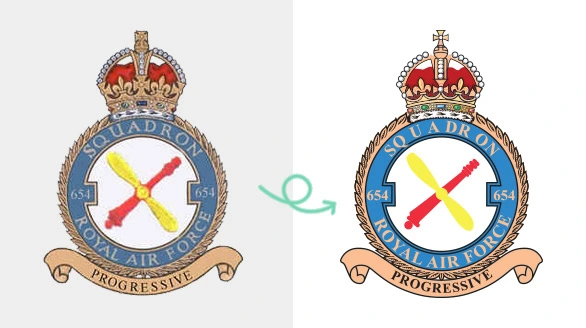
Raster to Vector Service from Australia
Convert raster to vector by local Aussie Illustrator experts.
How does it work?

Upload Raster Images

Send Instructions

Receive vectorized file

Submit for revisions if needed
Just 4 quick steps to get our vectorization Service.
1. Click on “Get Pricing Now” button.
2. Fill the form and provide required information along with upload your raster image as sample.
3. Receive a quotation within 15 minutes and give us approval.
4. Get vectorized image/s from our team, (request revision if necessary).
Our expert vector designers will follow your instructions to produce accurate vector files with the highest precision.
Raster To Vector Conversion for High Quality Graphics
We deliver accurate raster to vector service 100% Manual and hand-driven. We make sure that every path is precise. Our team guarantees you the highest accuracy for any images.
Simple Raster to Vector
Get simple raster to vector service for basic logos with clean lines. If your logo has simple shapes, We'll deliver you vector logos for websites, business cards, & small print materials.
Medium Raster to Vector
Best for logos with layered elements and mixed shapes. Most suitable for moderate details, multiple shapes, & color variations. Expert vector designers carefully redraw logos.
Complex Raster to Vector
Does your logo include detailed symbols? This service is the best choice. Our tracing expert will draw each part of your logo manually. Maintain original look without losing details.
Super Complex Raster to Vector
This service is needed for highly detailed logos with complex patterns. Recreate gradients & artistic elements. Most experienced vector designers work on this project.
YEARS OF
EXPERIENCE
Perfection guaranteed, revisions included, secure upload and download, with reliable turnaround time.
15+
ILLUSTRATOR
EXPERTS
1M+
NEW
ORDERS
27+
COUNTRIES
TRUST
2M+
VECTORIZED
IMAGES
Why Aussies Choose Us?
Premium Vector File
Quality is our main strength. We always ensure a premium-quality vector file for every project.
No Shortcut
Some providers follow a shortcut method that affects the quality. We never do that. We set an example.
Multiple Formats
We offer multiple formats according to your requirements. We're flexible to deliver AI, SVG, EPS, or any format.
Revision Until Satisfaction
The main motive of our Raster To Vector Conversion Service is to make you happy. Get unlimited revisions.
Human Support
You’re not dealing with bots. You communicate with real people who follow your instructions carefully.
Fast Delivery
We have a team of 100+ Skilled Vector Designers. We can deliver any bulk order within a short time.
What Are Raster To Vector Conversion Services?
Vector Conversion Service is the process of converting raster image into a vector using Adobe Illustrator. This is a manual process done by expert designers. No AI tools are used for that process.
After vectorization, you can resize your logo in any form without loss of quality. Perfect for both digital and physical platforms. Brands look premium with clear vector files.
Who Needs Raster To Vector Conversion Services?
Raster to vector conversion is needed for businesses that want their images, logos, and other graphics to look crystal clear. It makes the brand premium for all platforms.
Businesses and Brands: For any business, vector files are essential. They can be resized for business cards, banners, signage, and online use without losing quality.
Designers: Graphic designers, marketing agencies, and freelancers need vector files for client projects. Converting raster images into vectors makes editing professional.
Print Companies: Printing companies, apparel brands, and product manufacturers need vector files for accurate production. Vectors prevent blurriness from raster images.
Digital Creators: E-commerce sellers, social media influencers, and content creators benefit from vectorized logos. Vectors are versatile for websites, apps, and digital campaigns.
Anyone With Low-Resolution Files: Even if you only have a single, blurry, outdated logo, raster-to-vector conversion can restore it into a clean file. It’ll be ready for modern use.
Why Is Raster To Vector Service Important?
Raster to vector conversion is about quality, flexibility, and professionalism. Using raster images for your branding causes many problems such as blurry prints, pixelated graphics, and limited usability. Vector files solve all of these issues. You can resize vector files infinitely without losing quality. Vector graphics are essential for printing. It’s the the face of your brand
- Easy to Edit and Customize
- Professional Branding
- Multi Platform Use
Customers Reviews
Transform Your Logo for 50% Off - Limited Time!
Let your brand shine with a fresh, professional vector update.
Get Your Raster Image Vectorized Now For Maximum Clarity!
Promote Your Brand With Professional Vector Files Ready For Print & Digital use
F.A.Q.
Find Answers About Our Raster to Vector Services
How to vectorize a raster image?
To vectorize a raster image, you convert a pixel-based file like JPG or PNG into a vector format. Open your image, use the pen tool and trace the object perfectly. Then expand and clean up the paths.
How to turn raster image into vector?
You have to use Adobe Illustrator software to convert the raster file perfectly. You need to trace the image manually for reliable result.Refine the paths for an editable vector file.
How to make raster image into vector?
Making a raster image into a vector is the process of tracing the image using vector software. You can use Illustrator’s “Image Trace” tool for simple designs. Or, you have to do manual redrawing.
How to change a raster file to vector?
Changing a raster file to vector means converting its pixel data into vector paths. Open the raster file in Illustrator, then create paths for the object. Then, apply similar colors and texts. Finally, you can save it as AI.
How to convert raster image to vector in illustrator?
In Illustrator, open your raster image and select the “Image Trace” option. Adjust the settings for proper details. Expand the traced image to turn it into editable vector paths. After that, you have to refine the paths.
How to turn a raster into a vector
Using Vector-Based Editing Software like Adobe Illustrator you have trace the image. Image tracing option is available for auto tracing. For manual tracing, you have to use the pen tool and shapes.